Docs menu
Connect Carson to ChatGPT
Screenshots taken 2026-10-01 with ChatGPT on the web. Menus may have moved since.
Before you start
ChatGPT connects to Carson as a custom MCP app, on the web. Custom apps are offered on Plus, Pro, Business, Enterprise and Edu plans, not on Free.
On Business, Enterprise and Edu workspaces, members cannot add custom apps themselves. A workspace admin adds Carson with the steps below and publishes it to the workspace, choosing who can use it. If you cannot see these options, ask your ChatGPT admin.
Steps
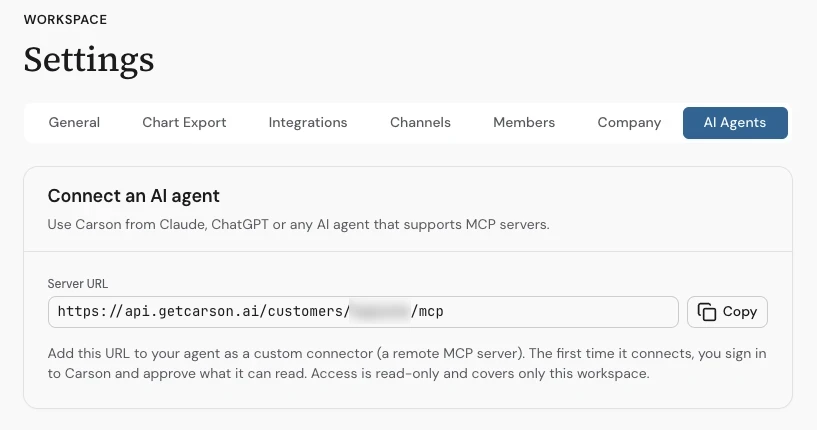
In Carson, open Settings, choose the AI Agents tab, and select Copy next to Server URL.
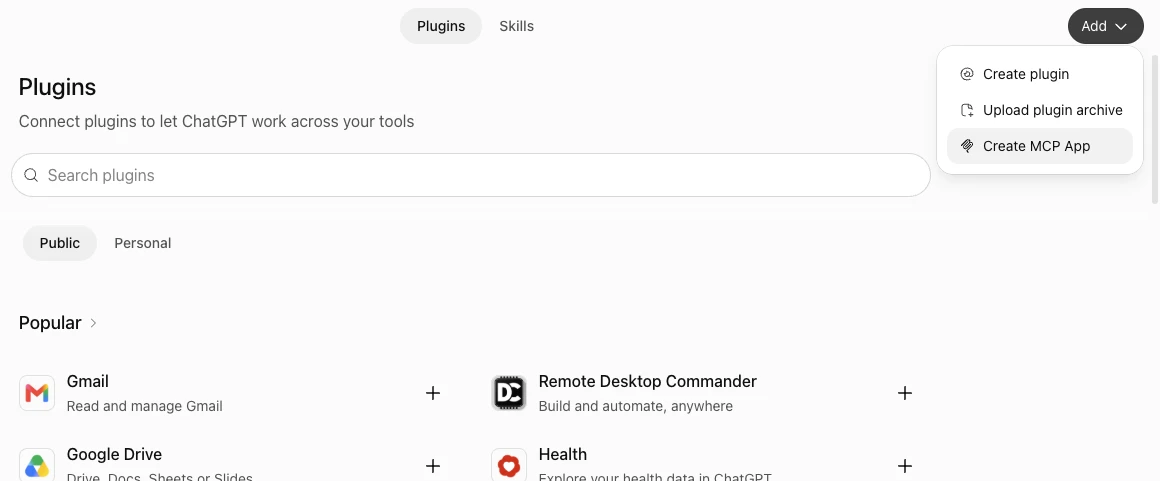
In ChatGPT on the web, open Plugins, select Add, and choose Create MCP App.
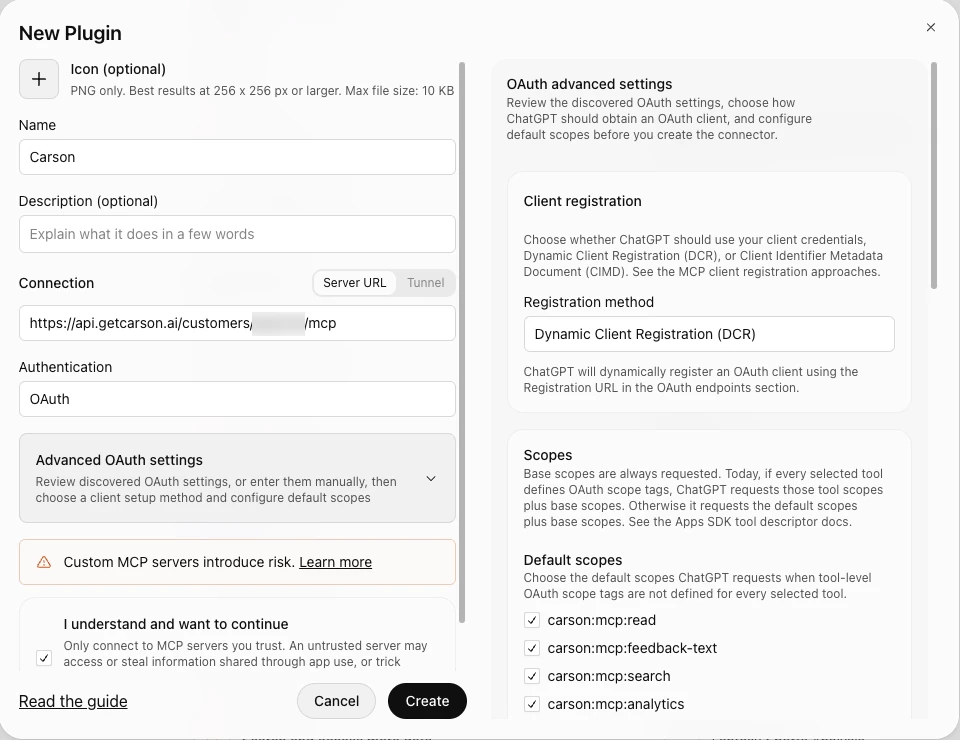
Name it Carson, paste your server URL under Connection and leave Authentication on OAuth. Open Advanced OAuth settings and change Registration method to Dynamic Client Registration (DCR): ChatGPT's default method cannot sign in to Carson. Tick "I understand and want to continue", then select Create.
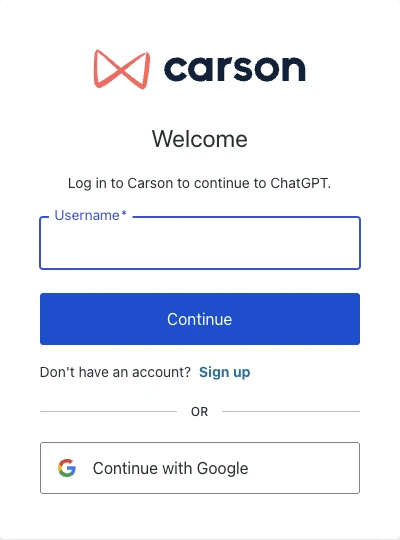
ChatGPT shows a Connect Carson screen. Select Continue to Carson, and Carson's sign-in page opens: sign in with the account you use for Carson.
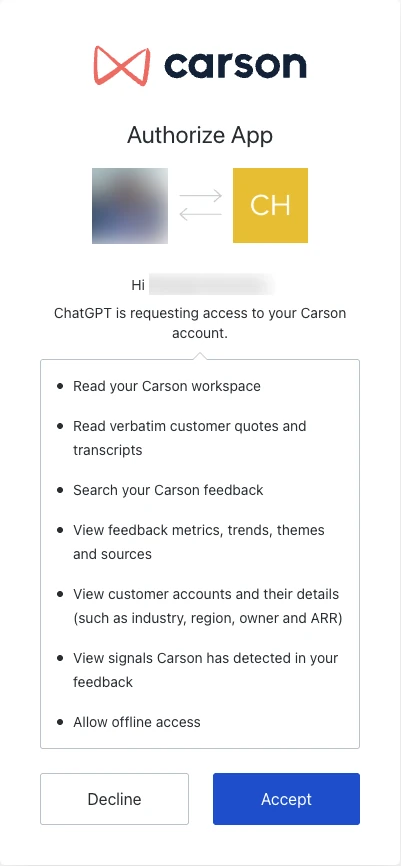
Review the permissions Carson asks for and accept. What each one means is listed on the guide's main page.
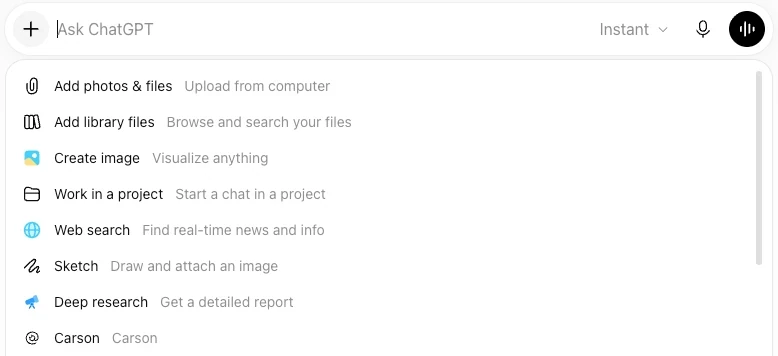
Start a new chat, open the + menu and select Carson. Carson's tools are now available in that chat.
Ask your first question
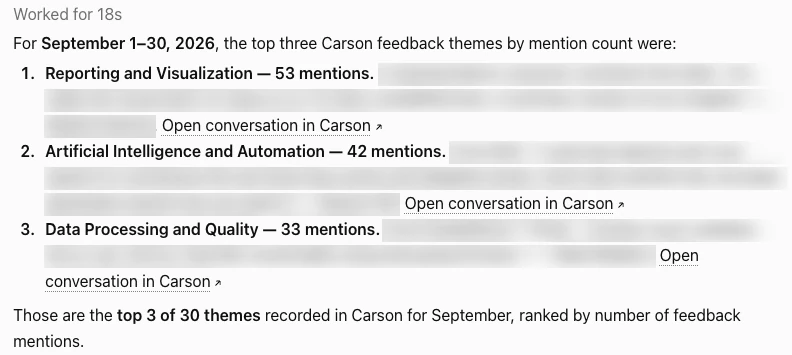
"What were the top three themes in customer feedback last month? Give me a quote for each, with a link to its conversation in Carson."
The assistant looks up last month in your workspace's timezone, counts mentions by theme, and pulls a quote for each theme. Each quote names the account it came from and links to the conversation in Carson, where a member can read the whole thing.
Also see what each permission means, what you can ask, or what to do if it does not connect.